Plex - Direct Play
Plex's playback quality is dynamic and adjusts to the capabilities of your player and the available internet bandwidth. However, out of the box, the quality settings in most Plex players are very conservative, typically set at either 2Mbps or 4Mbps, which we highly recommend increasing.
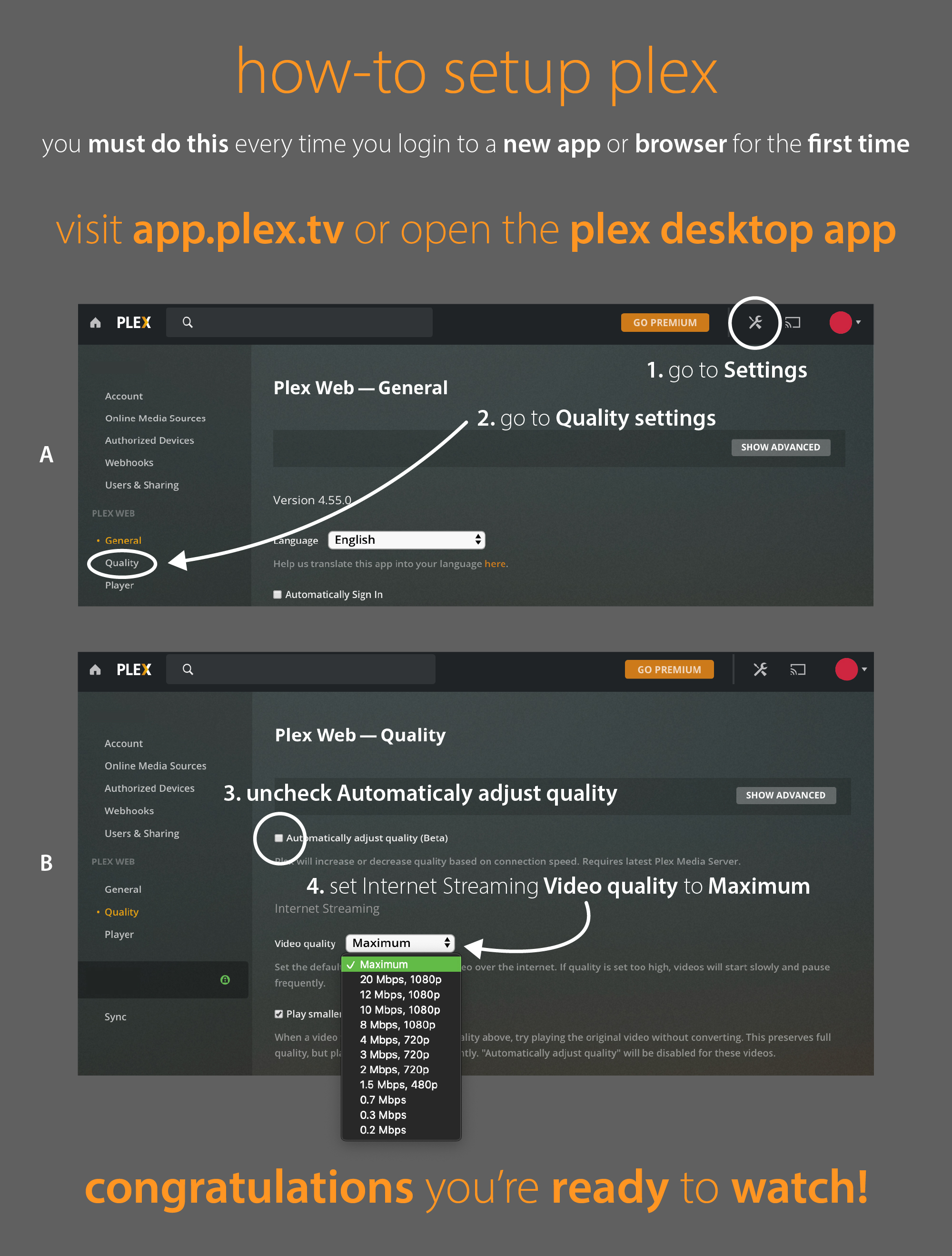
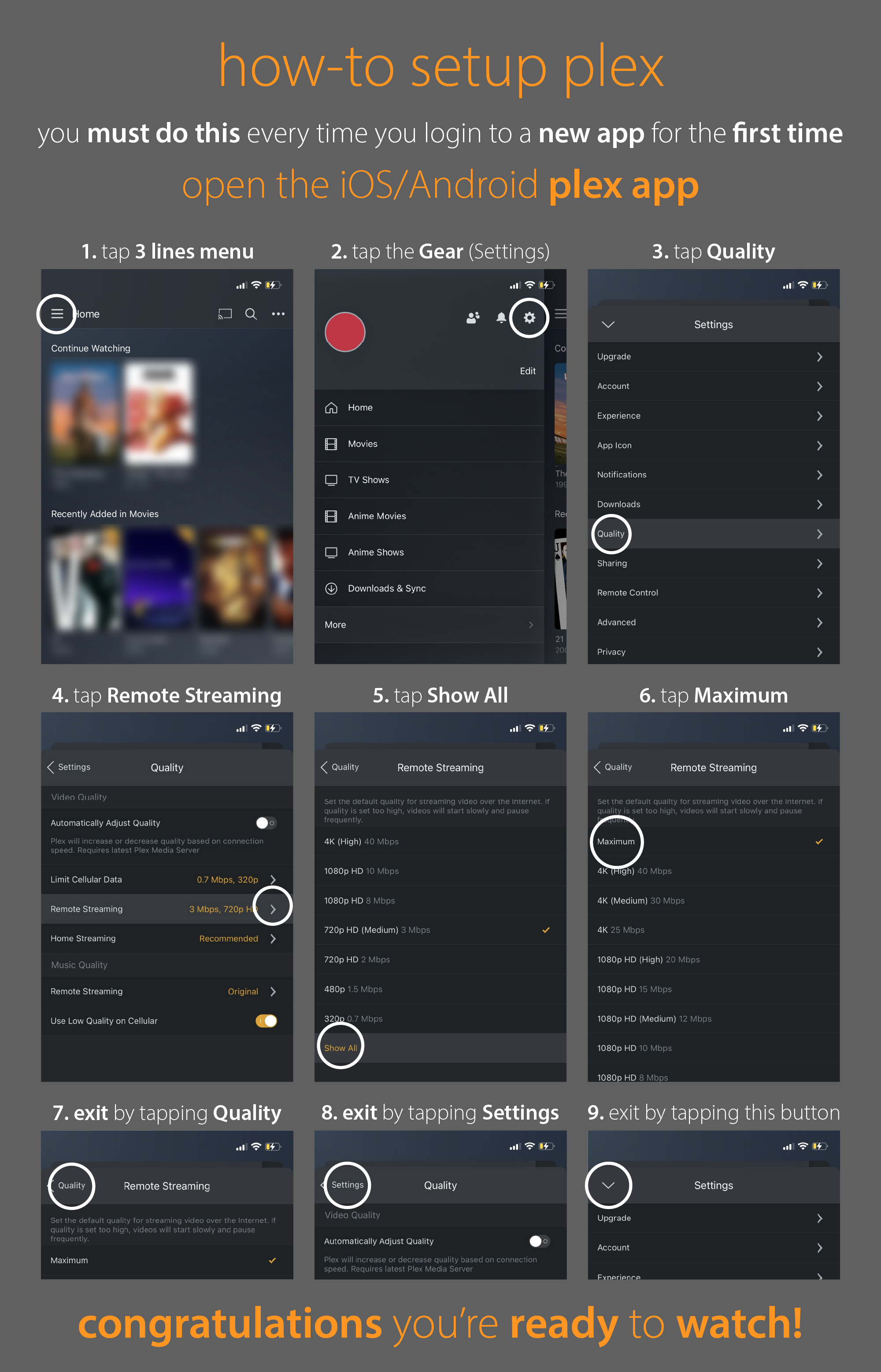
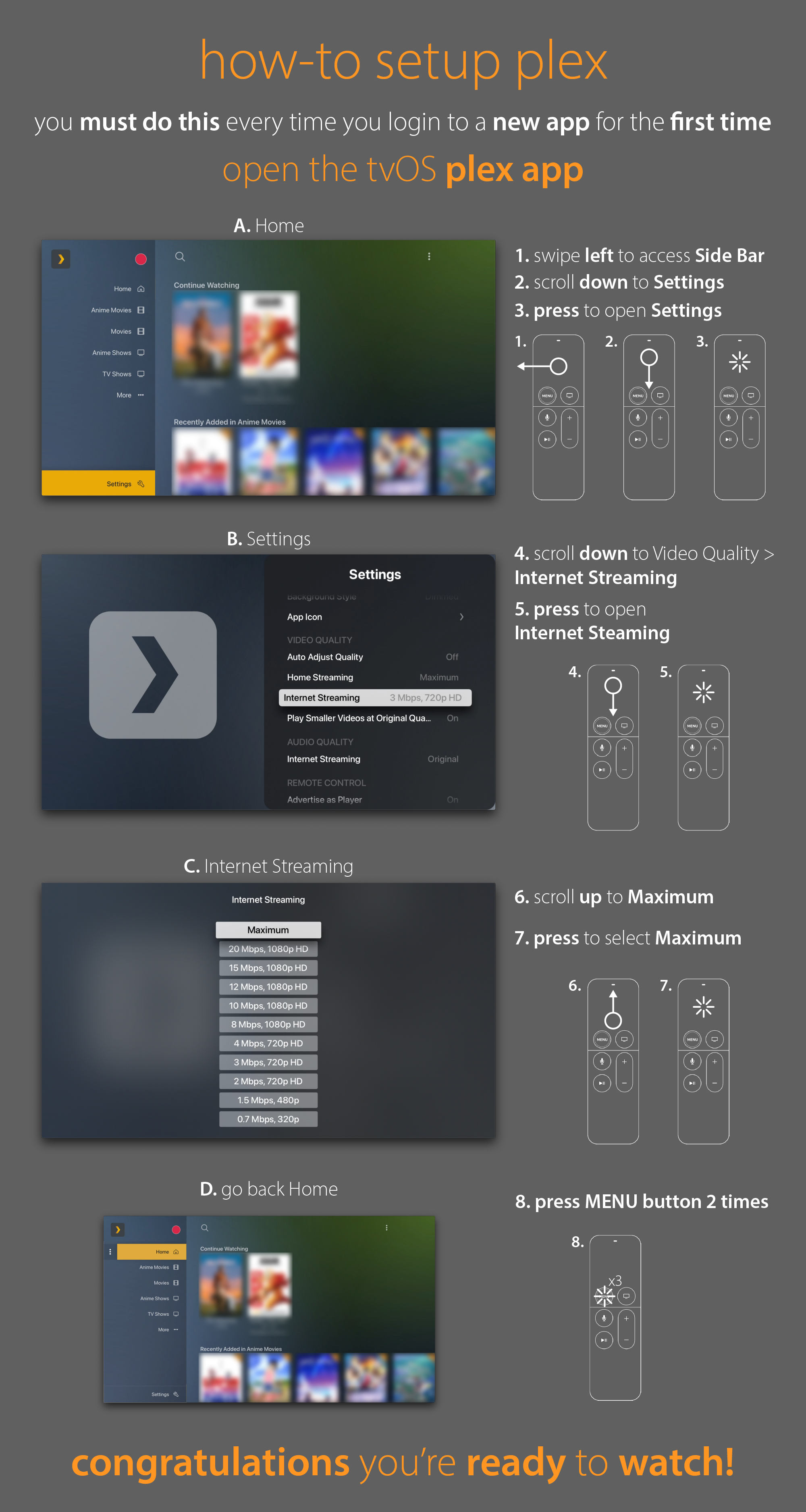
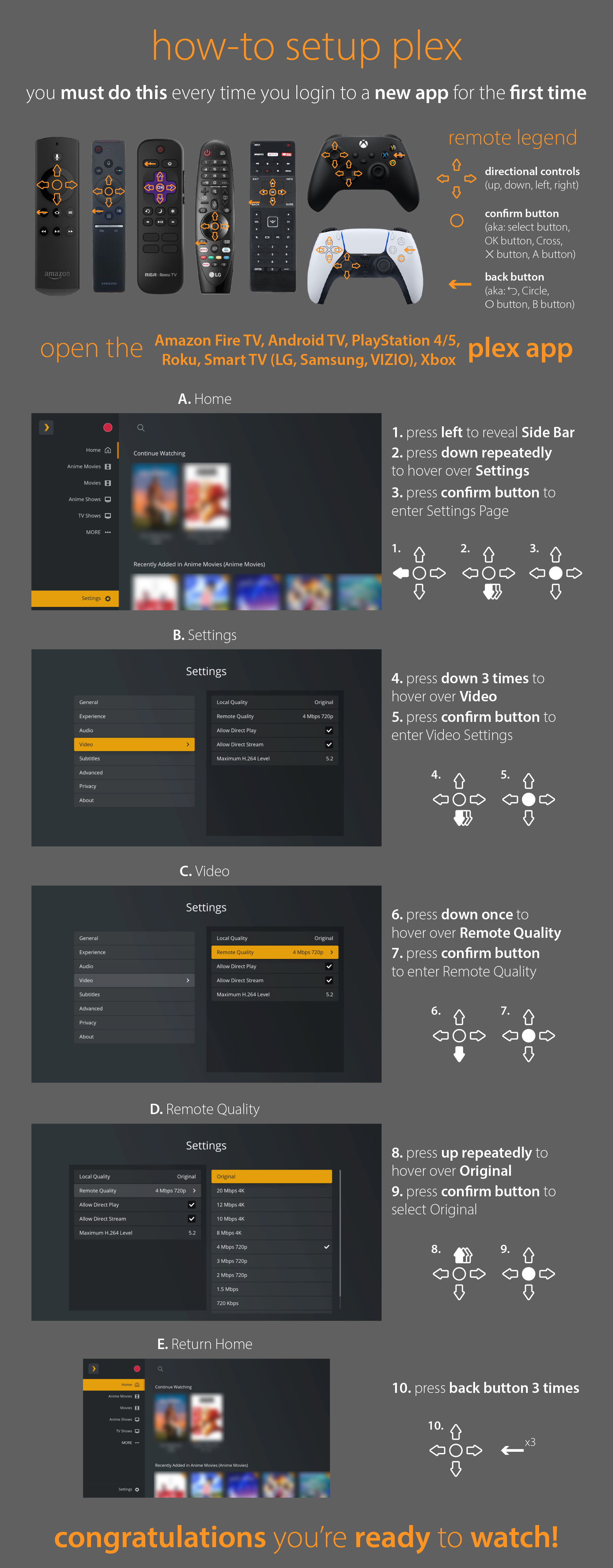
To enhance your playback experience, locate the settings in your Plex app and navigate to the Video Settings section. Ideally, set the Video Quality to Original or Maximum. If you experience playback stutters or frequent pauses, reduce the quality setting until you achieve smooth playback. This approach ensures media playback on your device at the highest possible quality and can help reduce strain on the server. You can find guides on how to set the recommended settings for the most common devices below.
- Check your results using the CDN's Speedtest.
- Recommended streaming bandwidth limits.
Note
This guide shows how to do it for selected versions, but the process should be pretty similar for other devices/clients.