Plex - Reset Customization
If you don't see the libraries, all you need to do is reset your customization. Try doing the steps below on a web browser.
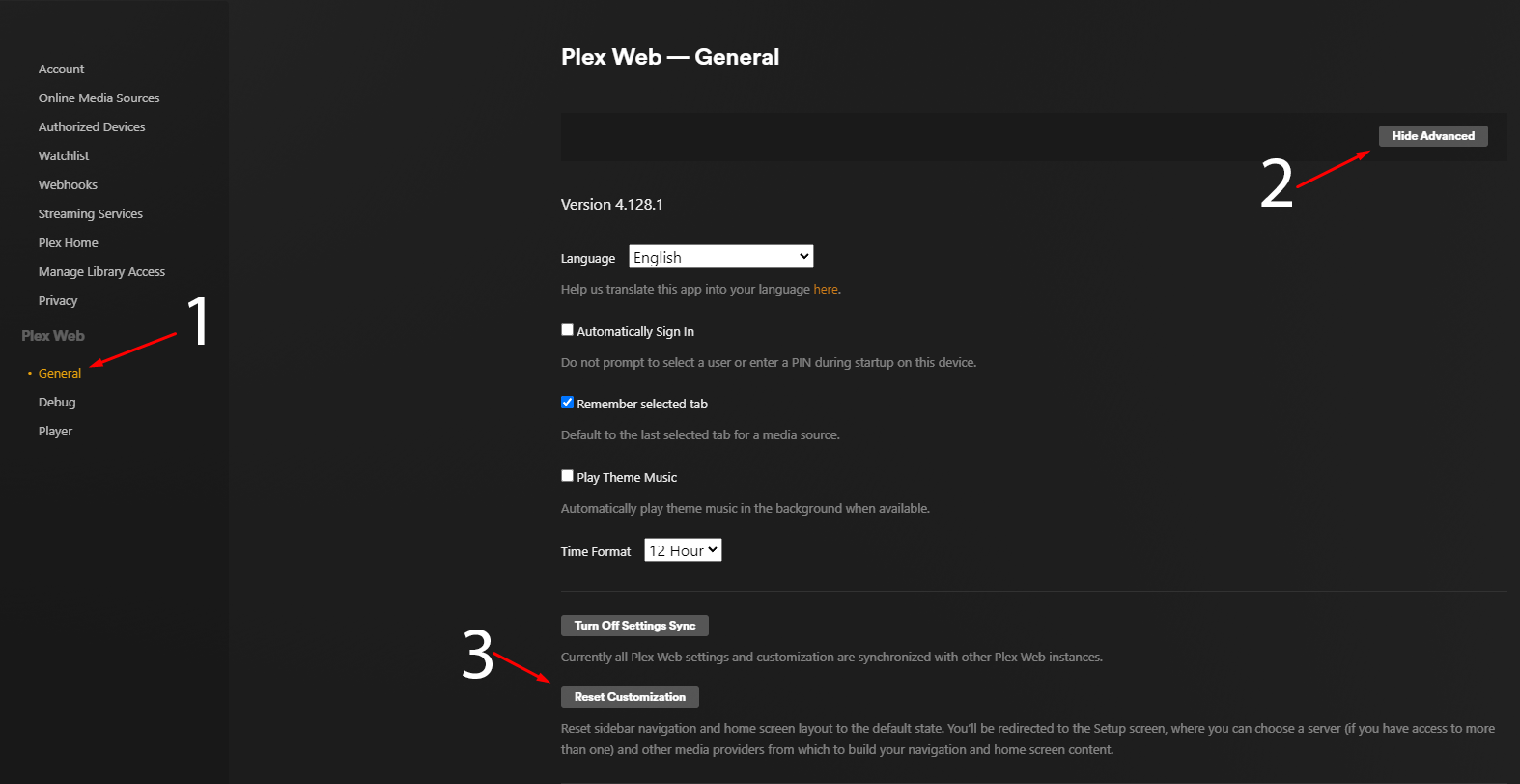
- Use Gear Icon (Top Right) to open the settings menu
- Navigate to General under the Web Client section
- Select Show Advanced
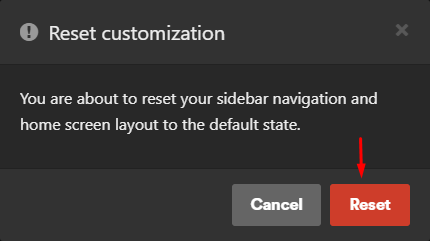
- Select Reset Customization
Selecting this option will direct you back to the Plex Web Setup screen, where you will be prompted to select a server, media providers, and customize your navigation sidebar.
Note: Using this option will reset all customization changes made in the app, including source/home screen ordering. If you have access to multiple Plex Media Servers, you will then be prompted to select a preferred server as well as the initial sources to display in the Navigation Sidebar.